
Starlink for power outages
Updated November 24, 2026 · 3 min read (approx.)
In this guide
Build a practical backup internet plan.
Power is essential
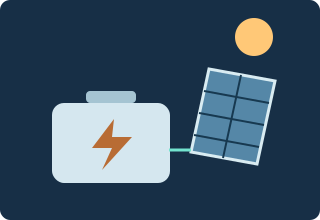
Satellite internet still needs electricity. Check your equipment power requirements and choose compatible backup power.
Find a clear sky view
Test your setup outdoors before an outage. Obstructions and severe weather can affect connectivity.
Prepare in advance
Keep cables accessible, test your setup regularly and retain alternative communication options. Satellite internet is not guaranteed emergency service.
Read official referral conditions · Verify equipment and plan details
Planning tools · Dated pricing snapshot · Testing methods
Explore current Starlink offers
Independent guide. I may receive a reward if you use my referral link and qualify. Not affiliated with Starlink or SpaceX.
Get Starlink $100 Offer ↗Eligible new US customers; two full qualifying billing cycles. Terms apply. Not a checkout discount. We may also receive a reward if you qualify. Offer details.
Related guides
Starlink $100 referral reward
How to qualify without missing the reward
Read guide →Starlink Mini cost and deals
Calculate the real cost before you buy
Read guide →Starlink Standby Mode explained
Low-speed connectivity between active service periods
Read guide →Starlink Mini vs Standard
Choose equipment for your actual needs
Read guide →Starlink for camping and travel
Plan connectivity away from home
Read guide →Reference guide · Updated November 24, 2026
What kind of outage are you planning for?
A failed home router is different from a regional power failure, a damaged fibre line, a cellular tower outage or a satellite-provider outage. Choose a backup that addresses the most likely failure modes. A second path plus independent power can reduce risk, but no service is guaranteed during disasters.
Example 72-hour energy budget
If a 30 W Mini operates four hours each day, three days requires 360 Wh for the terminal. If a laptop adds 45 W for two hours daily, that adds 270 Wh. Total load energy is 630 Wh; at 85% usable energy, the illustrative battery requirement is about 741 Wh before additional reserve. Do not forget phone charging and router losses.
Build and rehearse your plan
- Choose a safe, clear installation site before severe weather arrives.
- Charge a compatible battery and save activation, contacts and maps offline.
- Test the backup with your normal primary connection disconnected during a planned exercise.
- Arrange a check-in schedule and an independent emergency communication option.
- After a storm, wait for safe conditions before deploying or moving equipment.
Documented disasters show the value of combining satellite and terrestrial recovery. Read our case studies for evidence rather than assuming a particular consumer kit will survive every event.
Evidence and further reading
- Starlink: How much power does my Starlink need? Manufacturer specification
AC input averages by terminal model; actual draw varies.
- Ready.gov: Make a plan Government preparedness
Family contacts, meeting places and emergency planning.
- Congressional Research Service: Restoration of Cell Phone Services, Hurricane Helene (2024) Government report (public mirror)
Documents restoration approaches and temporary direct-to-cell authorization.
- NOAA: Communication gaps after Tonga tsunami (2022) Government case study
Satellite messaging following a submarine cable failure; not a Starlink-specific deployment.
Sources are linked to original publishers or identified public records. Plan documents and specifications may change. See the research library for evidence types and limitations.