
1. Who is the Mini for?
The Mini is a compact satellite broadband terminal with integrated Wi-Fi. This reduces the equipment needed for a portable kit and makes it appealing for occasional travel, cabins and emergency backup. It can also be used in fixed situations where an appropriate plan and workload fit. A busy household needing a large wireless footprint should compare Standard equipment and networking options. Hardware portability is not the same thing as an entitlement to operate while driving or abroad.
| Use case | Why Mini may fit | What to verify |
|---|---|---|
| Weekend camping | Small equipment and moderate power draw | Clear deployment site and data allowance |
| Home outage backup | Easier to store and run on battery | Standby eligibility and safe reactivation |
| Work truck | Portable connectivity at remote stops | Approved mounting and local in-motion rules |
| Remote office | Can support normal internet tasks | Upload, interruption rate, Wi-Fi reach |
| Full household | Compact single unit | Capacity, indoor coverage and plan eligibility |
2. Hardware and model-specific specifications
Starlink's power guidance gives a typical average AC-input range of 20–40 W for Mini and an idle figure of 15 W; actual consumption varies. The separate input rating and source requirements are not average consumption. A power source needs adequate peak capability. The Mini uses electronic beam steering and software-assisted manual orientation. Unlike the older motorized Standard Actuated terminal, it does not mechanically track individual satellites after setup.
The integrated router simplifies a minimal deployment, but a large house or metal RV may still need compatible networking equipment. Check the port and cable requirements for the exact model. A weather-resistant rating only applies when the proper plugs and cable connections are installed as directed. Store the dish protected from impacts and avoid pinching or sharply bending cables. Compare current official specifications and the equipment database before buying accessories.
3. What to pack
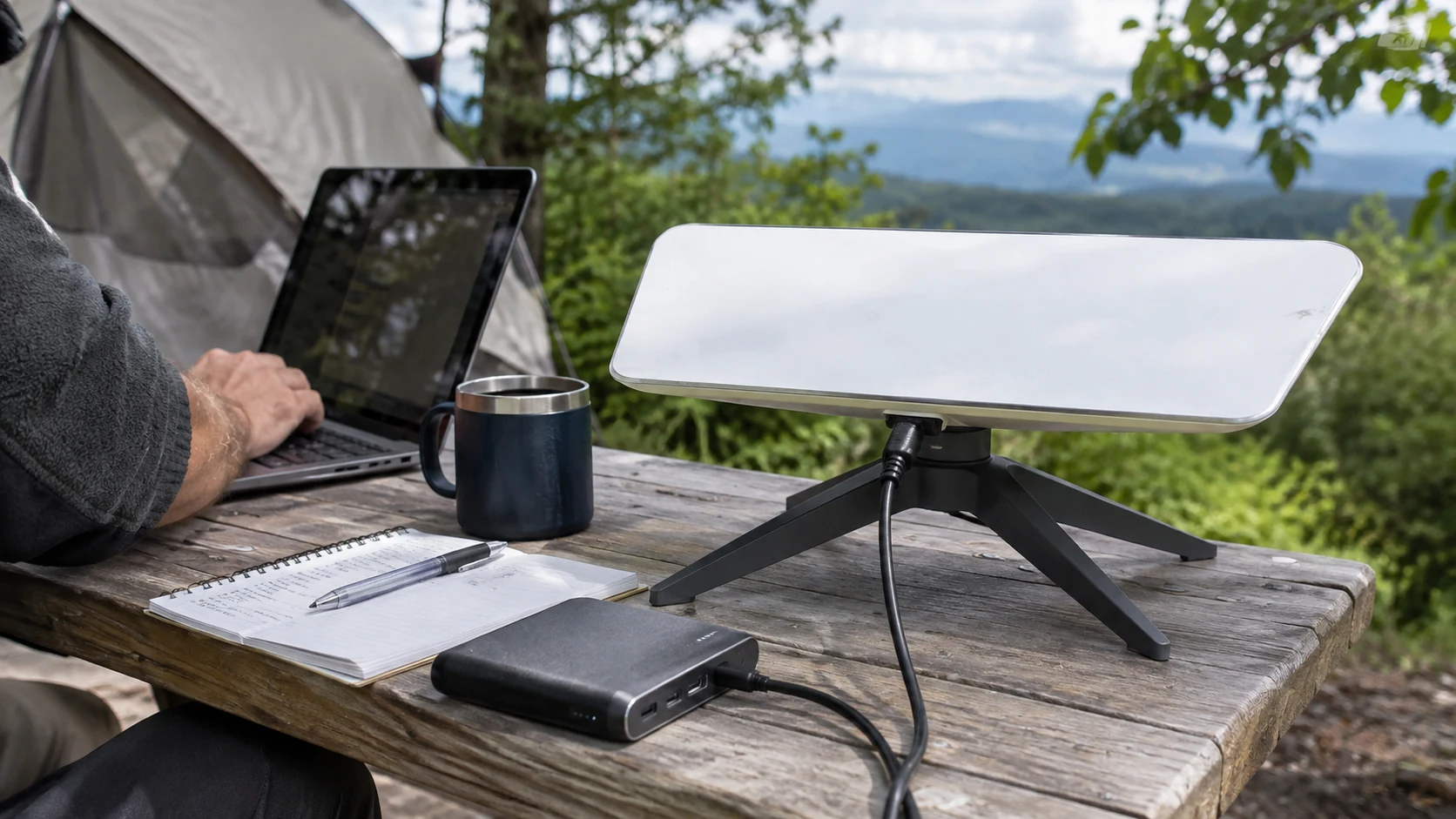
Begin with the original terminal, power supply, correct cable, kickstand or appropriate mount, a compatible battery if necessary, and a phone with the official app. For a portable emergency bag, add a printed account recovery sheet and cable inventory. Keep the bag easy to carry without putting pressure on the terminal face. A waterproof storage case is not permission to operate a dish inside a closed case; deploy it according to its installation requirements.
4. Setup from unpacking to connection
Choose a stable, dry, safe position with an open sky sector. Use the app's obstruction scan, connect the approved power source, orient the terminal according to the setup instructions, then connect to its network and finish activation. Initial software updates may take time; do not repeatedly unplug a device that is updating. Once online, establish a baseline with one device near the router before testing the entire household network. If the kit is new or transferred, ensure it is linked to the intended account and service location.
For permanent mounting, select model-compatible hardware, protect cables from abrasion and leave enough space for maintenance. Have a professional handle unsafe roof work. Never place a dish or cable where it can obstruct a driver's view, interfere with airbags, become a projectile or create a trip hazard. In-motion operation requires an approved setup and eligible plan in a permitted jurisdiction. Park safely before adjusting the system.
5. Powering Mini without household electricity
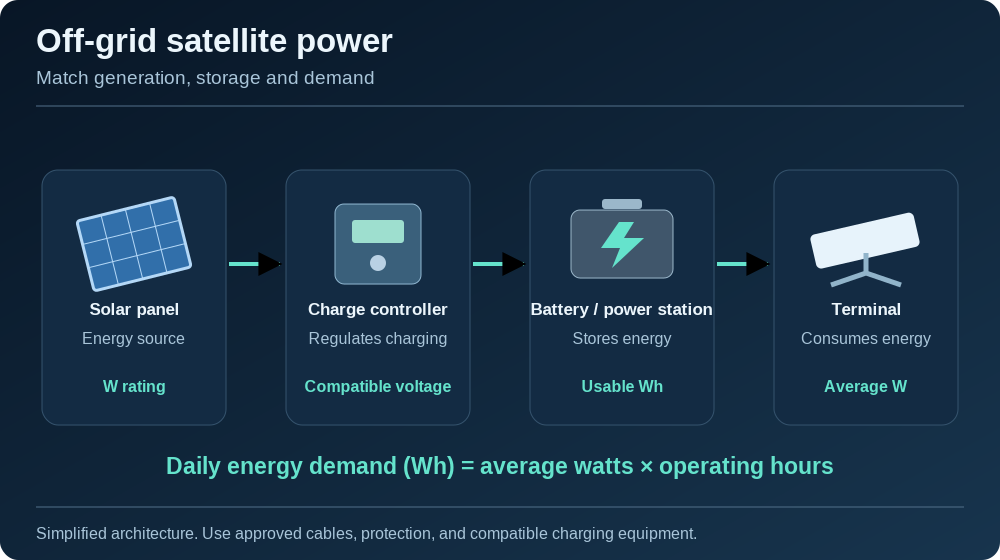
The supported USB-C method requires a 100 W USB Power Delivery source capable of 20 V at 5 A and a compatible Starlink cable. The official power guidance also specifies a DC input range of 12–48 V and a 60 W rating. These do not mean any cable or battery claiming those values is automatically compatible. Confirm connector, voltage, current, cable length and protection requirements. Use the original adapter when uncertain. Do not make improvised high-current vehicle connections.
Scroll horizontally to compare all columns.
| Rated battery | Illustrative usable energy (85%) | Runtime at 30 W |
|---|---|---|
| 256 Wh | 218 Wh | 7.3 h |
| 512 Wh | 435 Wh | 14.5 h |
| 1,024 Wh | 870 Wh | 29.0 h |
| 2,048 Wh | 1,741 Wh | 58.0 h |
These are estimates, not field results. Inverter standby draw, cold batteries and snow melting may reduce runtime. Measure energy from the actual power path. A USB source's watt rating indicates how much it can deliver, whereas Wh indicates stored energy. A 100 W USB supply is not necessarily a 100 Wh battery.
6. Plans, standby and first-year ownership
Hardware prices and recurring plans change. The US November 2026 advertisement presented a Mini promotional price of $149 compared with $249, ending November 30. That is a historical dated snapshot, not a universal current price. A referral reward has separate eligibility and may be service credit rather than cash. Keep qualifying service for the required period and confirm the reward before relying on standby savings.
For a hypothetical budget, compare two months at $80 and ten at $10 plus $249 hardware: $509 before tax or accessories. If a separate $100 reward actually qualifies, net value would be $409; the upfront payment remains different. A full year at $80 plus $249 hardware costs $1,209 before extras. Change the example to your real quote in the calculator. Do not mistake low-speed standby service for an unlimited high-speed plan.
7. Trees, windows and weather
A portable dish can sometimes work through non-metallic glass, but metallized window films, heating wires, structural framing and shallow sky angles can block or weaken signals. Test a parked vehicle indoors versus outdoors; keep the terminal safely secured and do not conduct an experiment while driving. Trees can cause intermittent drops rather than a simple yes/no result. A successful speed test in a clearing does not establish performance beneath a dense canopy.
Weather can change the signal and power requirement. Keep cables and connections properly sealed, follow manufacturer guidance on snow and wind, and do not handle equipment in hazardous conditions. Test on different days and record the context. Read partial obstructions and windshield before making a mounting decision.
8. Troubleshooting and maintenance
If a Mini fails to start on a battery, first test with the original AC adapter and a known working outlet. If AC works but USB-C does not, the source/cable combination may not negotiate the required output. If the app reports obstructions, try a safer clearer location. If connection is good near the device but weak inside an RV or house, investigate local Wi-Fi coverage. Check the service account for status and data allowance before replacing hardware.
Store the kit clean and dry, label the cables, keep software current, and test every few months if using it for backup. Record energy consumption and any accessory problems. Keep the device accessible to deploy after a safe all-clear, rather than leaving it in an inaccessible location. The test lab offers a protocol for actual Mini measurements; no results are claimed until they are recorded.
9. Buying decisions in one paragraph
Buy a Mini when compactness, lower power use and simple deployment matter more than maximizing fixed-home Wi-Fi coverage. Compare a mobile hotspot first if your locations have reliable cell service. Compare Standard if your main goal is a demanding household connection. Before ordering, verify the price, equipment eligibility, sky conditions, power accessories and service plan. A small dish is a tool, not a guarantee of connectivity everywhere.
10. Compare actual purchase paths
An online checkout, retail store and second-hand marketplace can all present different terms. Before ordering, compare the exact terminal model, included mounting accessories, power cable, return policy and whether the unit is already assigned to an account. A discount on the hardware may not combine with a referral program. Used equipment may need transfer authorization. Ask the seller for an appropriate transfer process rather than sharing account credentials. Keep the proof of purchase and verify the serial or kit identifier through official channels without posting it publicly.
The correct decision depends on the total amount paid during your intended ownership. If the Mini will be used only during occasional emergencies, the monthly subscription may be a larger long-term cost than the difference between two hardware promotions. If it will be used every day, performance and local Wi-Fi coverage matter more than a modest upfront saving. A second kit is not automatically a second independent access network; both can share the same operator's infrastructure.
11. Worked example: a portable work and camping kit
A traveler plans to run the Mini for six hours daily and a laptop for three hours. Using a 30 W average terminal and 45 W laptop example, the daily energy is 180 + 135 = 315 Wh. Add 25 Wh for phone charging and an allowance for inverter draw if applicable. With 85% usable system energy, 340 Wh needs about 400 Wh rated storage before reserve. A 512 Wh station may look plausible for one day, but its actual usable output, compatibility and temperature limits must be verified. For multiple days, plan a suitable recharge method or a shorter duty cycle.
The same traveler should consider high-speed data. A two-hour meeting averaging 2 Mbps combined traffic transfers about 1.8 GB in decimal units before overhead. Repeating it on ten days uses approximately 18 GB. Add uploads, browsing, maps and entertainment; a plan that seemed generous can become limiting if operating-system updates or automatic cloud backups run. Check usage in the official account and choose the service accordingly.
12. Troubleshooting an intermittent power or connection problem
When the dish resets repeatedly, test with the original power adapter and correct cable on a stable supply. If it works reliably there, record the portable supply model and supported output. If the issue occurs only behind a window, compare a safe outdoor position before changing the power setup. If the router is reachable but external websites are not, inspect app status and account connectivity. If an application works poorly while a near-router test is normal, evaluate that application's server, VPN and upload requirements. The purpose of controlled tests is to eliminate one explanation at a time; a successful restart alone does not identify the root cause.